Design that starts with the problem
Before any screen is drawn, we work out what a person is actually trying to do and what is currently getting in the way. The interface follows from that, which is why our product work tends to have fewer screens than people expect. Deehvine Marketing designs and builds portals, member platforms, internal tools and web applications for organizations that need people to get real work done, repeatedly.
Problems this solves
- Staff re-entering the same information into three systems because none of them were designed for the actual workflow.
- Members, clients or volunteers who cannot complete a task without calling for help.
- A spreadsheet that has quietly become the organization’s database.
- Off-the-shelf software that does most of the job and makes the rest painful.
- An existing application with a confusing interface that training can no longer paper over.
What the work includes
- Discovery: user roles and permissions, user flows, edge cases, and the data the system has to hold.
- Information architecture for the product: navigation, screens, states and empty states.
- Wireframes and interactive prototypes tested with the people who will use them.
- Interface design and a reusable component system, so new features look like they belong.
- Usability and accessibility review against WCAG, including keyboard and screen-reader paths.
- Design handover for your developers, or we build it as a WordPress-based or custom web application.
How a product project runs
- Discover. We sit with the people doing the work today and map the current process, including the workarounds.
- Strategy. Scope for a first release that removes the biggest pain, plus a roadmap for what follows.
- Design. Flows, wireframes and prototypes, refined with real users before visual design.
- Build. Development in stages, with the data model, roles and reporting designed alongside the interface.
- Launch and grow. Migration from the old process, training, and a schedule for improvements once real usage starts.
Work in this space
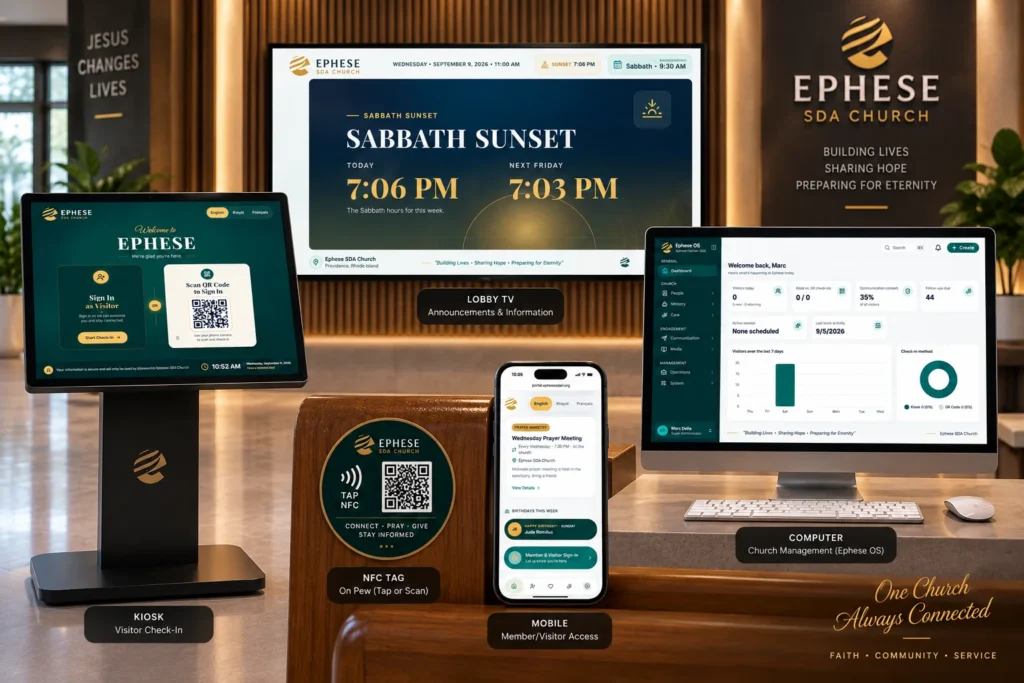
Ephese OS brings member records, ministries, events and communication into one church management platform. The NB4HS Digital Platform replaced scattered forms and spreadsheets with a single guided flow for client intake, case management, class registration and workforce development tracking.
Who it is for
Organizations building an internal tool, a member platform, a client portal or an application. Churches managing members and ministries, community organizations tracking clients and programs, and businesses running bookings, intake or service delivery all have the same underlying need: a system shaped around the people who use it.
Frequently asked questions
What is the difference between UX and UI design?
UX (user experience) is the structure of the product: what a person can do, in what order, and how the system responds. UI (user interface) is the visual layer they interact with. We do both, and we start with UX because a beautiful interface on a confusing flow still fails.
Do you only design, or do you build too?
Either. Some clients have developers and need a designed, documented system to hand over. Others want us to design and build the whole product. Both are common.
Can you improve an application we already have?
Yes. A usability review of the existing product is often the first step, followed by redesigning the screens with the highest drop-off or support load.
How do you handle accessibility in applications?
Accessibility is part of the component system: focus states, labels, contrast, error messaging and keyboard operation are designed once and reused, then tested on real screens before release.